Mycelarium Beginner Guide: Your First Hours, Core Loop, and Early Mistakes to Avoid
Starting a new survival-crafting game can feel like being dropped into deep water.
Starting a new survival-crafting game can feel like being dropped into deep water. This guide is about the game Mycelarium — cultivating real mushrooms at home is a separate hobby entirely — and it walks you through what to prioritize in your first sessions, how the core loop works, and the mistakes that most often trip up new players.
What Kind of Game Is Mycelarium?
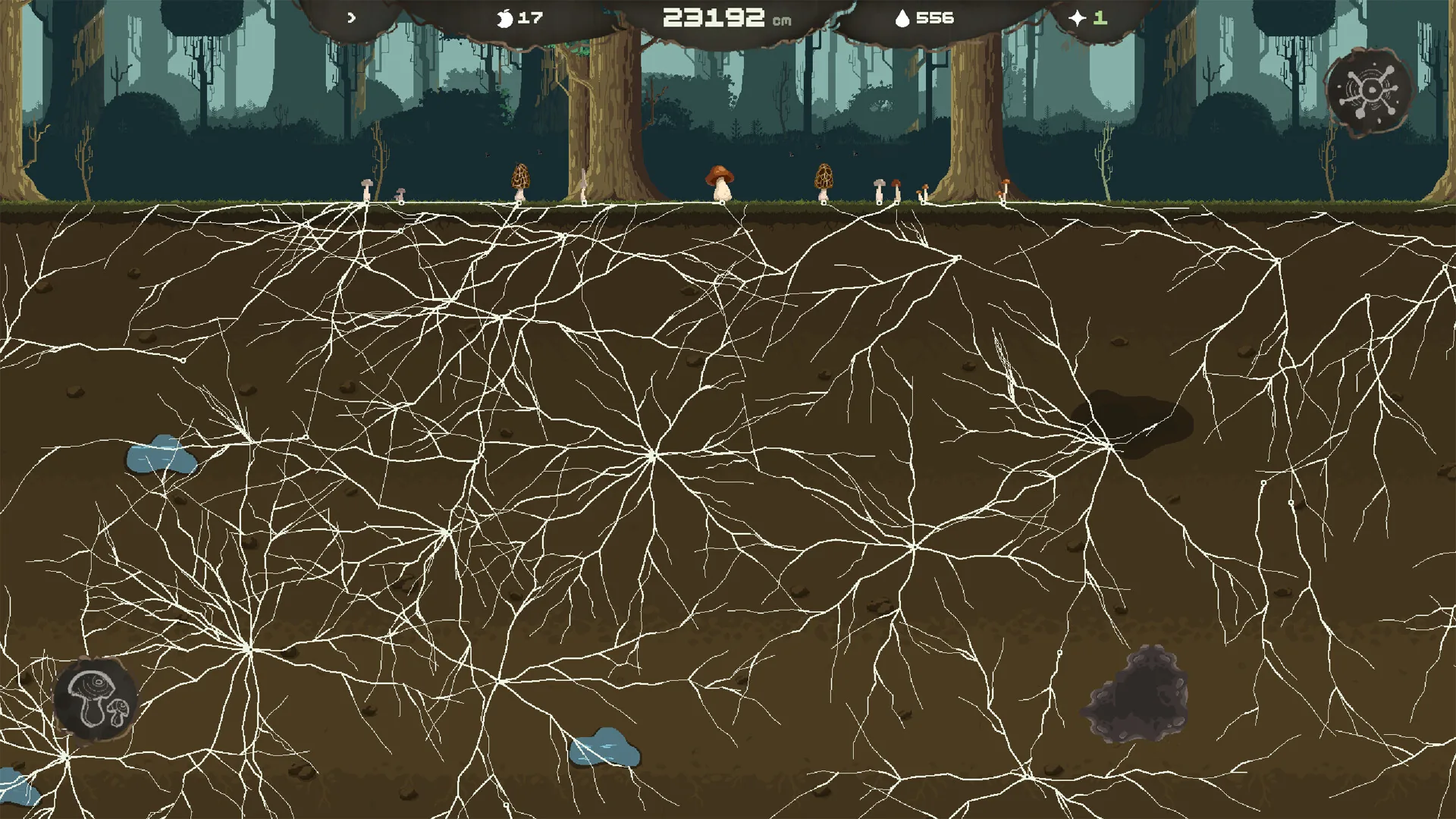
Mycelium is the thin, thread-like network that fungi use to spread through soil and wood, and Mycelarium builds its premise around that idea of a living, growing network. In practical terms, expect a game about gathering materials, crafting what you need, and steadily expanding the space you control. Depending on the version you are playing and the options you choose at the start, that can range from a relatively relaxed building experience to a tougher survival setup where hunger, health, and hazards all demand attention.
Because details shift between updates, treat this guide as a framework rather than a fixed rulebook. The priorities below hold up across most versions of this genre, and the final section explains how to confirm anything that may have changed.
Before Your First Session: A Short Setup Checklist
A few minutes of preparation saves a lot of frustration later:
- Update the game through the store page or launcher you bought it from. Beginner guides age quickly, and patch notes often rewrite mechanics.
- Learn the control scheme before you start. Find the inputs for moving, looking around, interacting, opening your inventory, and accessing the map. Remap anything awkward now rather than mid-emergency later.
- Adjust display and audio settings. Turn on subtitles if they are offered; audio cues often carry information the visuals do not.
- Pick a difficulty or mode if the game offers one. If you are new to survival-crafting games, start with the calmer option and raise the challenge on a later playthrough.
- Do not skip the opening tutorial, even if it feels slow. It usually teaches the interaction verbs the entire game is built on.
Your First Hour, Step by Step
1. Learn to move and interact
Spend your first minutes doing nothing but moving, looking around, and interacting with objects. Every game in this genre assumes you can do three things smoothly: approach something, interact with it, and check the result. If those actions feel clumsy, fix your controls before anything else.
2. Gather starter materials
Look for the obvious, low-effort resources near your starting point — loose plant matter, small stones, sticks, or whatever the game presents as basic ingredients. Do not wander far yet. The goal is simply to fill your inventory once or twice so you understand how gathering works and how much you can carry.
3. Find a safe spot
Before committing to anything, scan your surroundings for somewhere calm: flat ground, a clearing, a spot near water if the game tracks thirst, or simply an area out of the way of whatever moves after dark. You do not need the perfect location today. You need a location you can leave and return to.
4. Craft your first tool
Open the crafting menu and make the simplest useful item available — usually a basic tool or a storage container. Crafting one item end to end teaches the whole chain: find ingredients, open the menu, confirm the recipe, and use the result. That loop is the spine of the game.
5. Set a temporary camp
Place a camp marker, a bed, or a simple shelter if the game allows it, and store your spare items in a container instead of carrying everything. A camp gives you a safe return point, and a container keeps your inventory usable.
6. Build a repeatable routine
Before exploring, run one full loop: leave camp, gather a specific resource, return, process or store it. Once you can do that without thinking, the tutorial phase is over. Everything after this is repetition and expansion.
The Core Loop: Gather, Grow, Expand
Most of your session will follow a three-beat rhythm:
- Gather raw materials from the world.
- Process them — craft tools, build stations, or grow whatever the fungal theme asks you to cultivate.
- Expand what you can reach, store, or survive.
The fungal fantasy suits a patient style of play. A real mycelial network grows gradually and connects outward, and the game usually rewards the same approach: small, steady investments compound, while one reckless push into unknown territory tends to end with you dead, lost, or carrying a backpack of junk you cannot use. When you are unsure what to do next, ask which of the three beats is weakest — and fix that one.
Building Your First Base
Choose location over size
A good starter site sits close to two or three resource types and near a route you can travel safely. Being central beats being spacious. You can relocate later, but early on, walking distance is your real currency.
Build in phases
Resist the urge to construct everything at once. A sensible order for most versions of this genre looks like this:
- Basic storage, so items stop cluttering your inventory.
- The crafting stations that unlock your next tier of tools.
- Comfort or defense features, if the game includes them, once your material supply is stable.
- Decoration and ambitious expansion projects last.
Leaving space between structures matters more than beginners expect. Pack everything tightly, and upgrading or rerouting later becomes a demolition job.
Organize storage from day one
Sort materials into categories as you store them — building materials in one place, consumables in another, tools in a third. Ten minutes of tidying on your first day saves you from digging through a dozen containers on your fifth.
Progression: Deciding What to Do Next
Open your journal, quest log, codex, or objective list regularly. In games like this, the next step is usually written down somewhere even when the world itself does not point to it. Beyond that, a few principles keep progression smooth:
- Upgrade before you expand. A better tool changes what the world gives you; a bigger base only changes how much you have to maintain.
- Revisit old areas. Zones you cleared early often yield new resources once you have better equipment.
- Chase one goal at a time. These games offer dozens of tempting projects. Finishing one unlocks the next far more reliably than starting five.
- Keep a buffer. Maintain a small reserve of food, healing items, or basic materials so a bad expedition is a setback rather than a restart.
Common Beginner Mistakes
- Exploring too far, too early. The map is designed to punish wanderers. Push your boundary outward gradually, and always know the way home.
- Over-building before your resources are secure. A half-finished base with no materials left is worse than a small finished one.
- Ignoring upkeep. Tool durability, food, and base repairs are quiet timers. Check them before every trip.
- Hoarding everything. Inventory space is itself a resource. If an item has no current use and no obvious future, leave it or convert it into something useful.
- Forgetting to save. If the game uses manual saves or is still receiving updates, save often and keep a backup of your world if the game supports it.
- Skipping status effects. If a meter or icon appears that you do not recognize, find out what it means before ignoring it. Most early deaths come from a status effect nobody read.
How to Verify Current Mechanics
Because Mycelarium may receive updates that change recipes, progression, or balance, confirm anything version-specific before relying on it:
- Read the latest patch notes on the store page or launcher where you purchased the game.
- Check the in-game codex or tutorial, which is usually updated alongside the build you are actually playing.
- Look at community resources such as wikis, forums, or the game's official community channels — and note the date of any guide you read, since older guides may describe removed content.
- Test in a safe area. If you are unsure whether something works, try it near your camp, where a mistake costs little.
Treat any mechanic you cannot confirm as unverified for your version rather than assuming it is missing. Games in active development frequently rework, rename, or restore features between builds.
Quick-Start Recap
- Update the game and set your controls before you begin.
- Learn movement and interaction first, then gather starter materials.
- Claim a safe, central spot and set a temporary camp.
- Craft your first tool end to end to learn the loop.
- Repeat a gather-and-return routine until it feels automatic.
- Build in phases: storage, crafting, then comfort and expansion.
- Keep a material buffer, watch status effects, and save often.
- Verify version-specific details through patch notes and current community guides.
Follow those steps and your first session will end with a working camp, a clear next objective, and a foundation you can actually build on. The network starts with a single thread — yours starts with the first hour you spend doing the small things deliberately.